Using the Central Scheduler
While the --local-scheduler flag is useful for development purposes,
it’s not recommended for production usage.
The centralized scheduler serves two purposes:
Make sure two instances of the same task are not running simultaneously
Provide visualization of everything that’s going on.
Note that the central scheduler does not execute anything for you or help you with job parallelization. For running tasks periodically, the easiest thing to do is to trigger a Python script from cron or from a continuously running process. There is no central process that automatically triggers jobs. This model may seem limited, but we believe that it makes things far more intuitive and easy to understand.
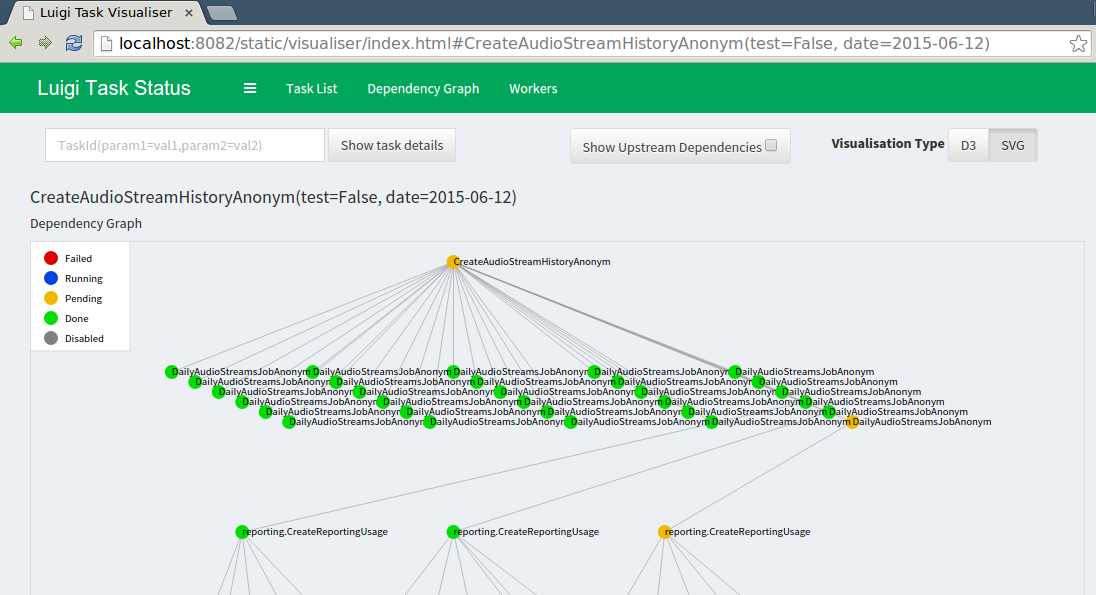
The luigid server
To run the server as a daemon run:
$ luigid --background --pidfile <PATH_TO_PIDFILE> --logdir <PATH_TO_LOGDIR> --state-path <PATH_TO_STATEFILE>
Note that this requires python-daemon.
By default, the server starts on AF_INET and AF_INET6 port 8082
(which can be changed with the --port flag) and listens on all IPs. To change the default behavior of listening on all IPs, pass the --address flag and the IP address to listen on.
To use an AF_UNIX socket use the --unix-socket flag.
For a full list of configuration options and defaults,
see the scheduler configuration section.
Note that luigid uses the same configuration files as the Luigi client
(i.e. luigi.cfg or /etc/luigi/client.cfg by default).
Enabling Task History
Task History is an experimental feature in which
additional information about tasks that have been executed are recorded in a relational database
for historical analysis.
This information is exposed via the Central Scheduler at /history.
To enable the task history,
specify record_task_history = True in the
[scheduler] section of luigi.cfg and
specify db_connection under [task_history].
The db_connection string is used to configure the SQLAlchemy engine.
When starting up,
luigid will create all the necessary tables using create_all.
Example configuration
[scheduler]
record_task_history = True
state_path = /usr/local/var/luigi-state.pickle

[task_history]
db_connection = sqlite:////usr/local/var/luigi-task-hist.db
The task history has the following pages:
/historya reverse-cronological listing of runs from the past 24 hours. Example screenshot: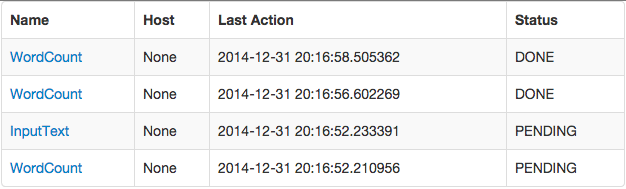
/history/by_id/{id}detailed information about a run, including: parameter values, the host on which it ran, and timing information. Example screenshot: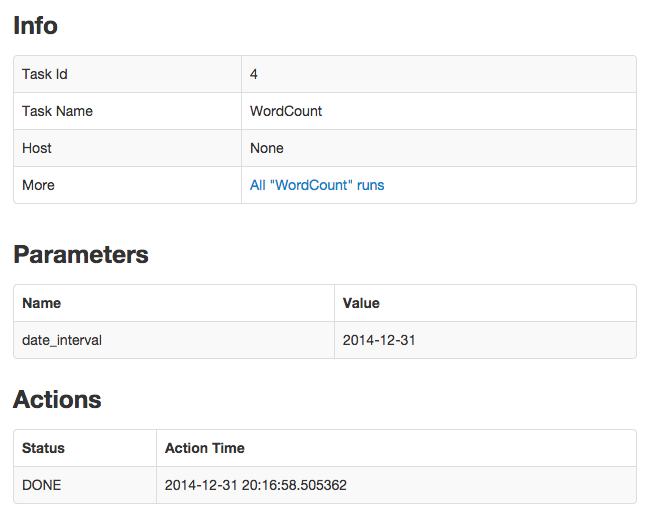
/history/by_name/{name}a listing of all runs of a task with the given task{name}. Example screenshot: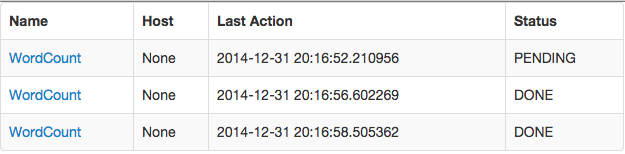
/history/by_params/{name}?data=paramsa listing of all runs of the task{name}restricted to runs withparamsmatching the given history. Theparamsis a json blob describing the parameters, e.g.data={"foo": "bar"}looks for a task withfoo=bar./history/by_task_id/{task_id}the latest run of a task given the{task_id}. It is different from just{id}and is a derivative ofparams. It is available via{task_id}property of aluigi.Taskinstance or via luigi.task.task_id_str. This kind of representation is useful for concisely recording URLs in a history tree. Example screenshot: